
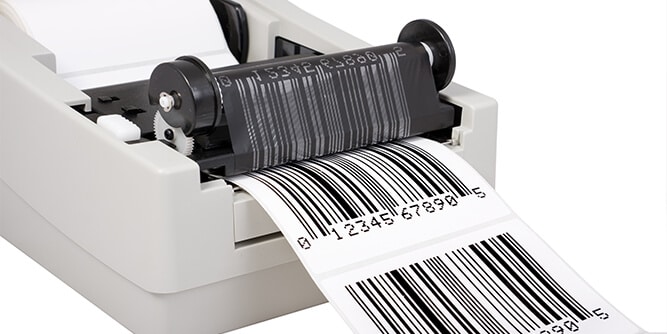
Jam-Free Thermal Shipping Labels: The Hassle-Free Printing Solution
Shipping label printing shouldn’t be stressful. Yet for many small business owners and warehouse teams, it’s a daily frustration: the printer jams again. If you’re tired of labels getting stuck, misaligned, or feeding incorrectly, it’s time to consider switching to jam-free thermal shipping labels. These specially designed labels eliminate many of the common problems that slow down fulfillment operations and cause wasted supplies.
In this article, we’ll explore why printer jams happen, how jam-free thermal labels can make your workflow smoother, and what to look for when choosing the right labels for your business.
Why Printer Jams Happen in the First Place
Before diving into the solution, let’s understand the root causes of label printer jams:
1. Poor Label Quality
Low-grade label stock can peel off during printing, leaving sticky residue on your printer’s rollers. This gum-up causes jams and frequent cleaning.
2. Incorrect Label Size or Roll Type
Labels that don’t match your printer’s size or feed direction often cause skewing, misfeeds, and misalignment.
3. Excess Static and Curling
Labels exposed to humidity or temperature changes may curl or attract dust, resulting in inconsistent feeding and paper jams.
4. Worn or Dirty Printer Parts
Sometimes, it’s not just the labels. Dirty or worn feed rollers, sensors, or thermal heads can all cause jam-like issues.
5. Misaligned Roll Position
Improper loading in the printer—too tight or off-center—leads to label jamming, especially in high-speed batch printing.
How Jam-Free Thermal Shipping Labels Solve These Issues
Now, here’s where high-quality, jam-free thermal shipping labels shine. They’re built to solve these specific printing problems:
1. Precision Cut with Smooth Edges
Jam-free labels are die-cut with extreme precision, ensuring clean edges that feed smoothly through your printer without tearing or snagging.
2. Anti-Curl, Anti-Static Material
Quality thermal labels are designed to resist curling and static electricity, two major contributors to misfeeds.
3. Consistent Adhesive Application
Reliable adhesive means no leaking gum on rollers or peeling labels during printing. That helps your printer stay clean and functional.
4. Compatible Core Sizes and Roll Lengths
Jam-free options are designed for common printers like Rollo, Zebra, and DYMO, ensuring perfect alignment and smooth feed.
5. Lint-Free, Dust-Resistant Backing
Premium label rolls come with backing paper that doesn’t leave dust or debris inside your printer—prolonging its life.
Benefits of Switching to Jam-Free Thermal Shipping Labels
Beyond eliminating printer jams, these labels offer a series of benefits that can directly impact your business efficiency:
1. Save Time on Every Shipment
No more stopping mid-batch to open the printer, remove stuck labels, and refeed the roll.
2. Improve Order Accuracy and Productivity
Accurate, consistent label printing ensures orders are packed and shipped without confusion.
3. Reduce Material Waste
Fewer jams mean fewer wasted labels—and less wasted money.
4. Minimize Printer Maintenance
Jam-free labels keep your machine cleaner, reducing the frequency of deep cleans and part replacements.
5. Enhance Professionalism
Clean, crisp labels make a better impression on customers, with no creases or smudges.
Features to Look for in Truly Jam-Free Labels
When shopping for thermal labels, not all “jam-free” claims are created equal. Here’s how to spot truly reliable options:
1. 100% Compatibility Guarantee
Look for labels that specify compatibility with your printer model.
2. Perforated or Non-Perforated Options
Perforated labels make hand-tearing easy; non-perforated rolls offer better flow for automatic peelers.
3. BPA-Free and Eco-Friendly Materials
For health and sustainability, choose thermal labels free from BPA and made from recyclable materials.
4. Strong Adhesion
Your label should stick well to cardboard, poly mailers, and envelopes, without leaving residue if repositioned.
5. Backed by Customer Reviews
Real-world feedback from other users is a great indicator of true jam-free performance.
Best Use Cases for Jam-Free Thermal Shipping Labels
Whether you’re printing 20 labels a day or 2,000, these labels can be a game-changer. Here’s who benefits most:
– eCommerce Sellers
Avoid delay penalties and negative reviews by printing shipping labels fast and without interruption.
– Fulfillment Centers
High-volume printing demands reliability. Jam-free labels streamline operations during peak seasons.
– Office Admins
Print labels for packages, folders, or inventory without disrupting your workflow.
– Retail Businesses
For shipping returns, labeling store inventory, or in-store barcode tags, jam-free labels keep operations smooth.
Why Betckey Jam-Free Thermal Labels Are a Smart Choice
If you’re looking for dependable, high-quality thermal labels that won’t jam your printer, Betckey is a brand trusted by thousands of small business owners across the U.S.
Here’s what sets Betckey labels apart:
- Designed for compatibility with Rollo, Zebra, Brother, and DYMO printers
- Premium thermal paper that resists curling, static, and moisture
- Strong adhesive with zero residue
- Budget-friendly bulk packs without compromising quality
Whether you’re an Etsy seller, Amazon FBA merchant, or small logistics company, Betckey labels help you print smarter and ship faster.https://betckey.com/
FAQs About Jam-Free Thermal Shipping Labels
1. What makes thermal labels jam-free?
Jam-free thermal labels are precision cut and use high-quality materials that resist curling, static, and adhesive leakage. They’re also designed to match printer specs exactly, reducing feeding errors.
2. Are jam-free labels compatible with all thermal printers?
Most jam-free labels are designed to work with popular printers like Rollo, Zebra, Brother, and DYMO. Always check compatibility before purchasing.
3. Can switching labels really reduce printer maintenance?
Yes. Premium labels help prevent adhesive buildup and paper dust, which are major causes of maintenance issues like roller jams and printhead wear.
